Talk to your gym's data: introducing BETA MCP
The data you need and the insights to help you grow, simply by asking.
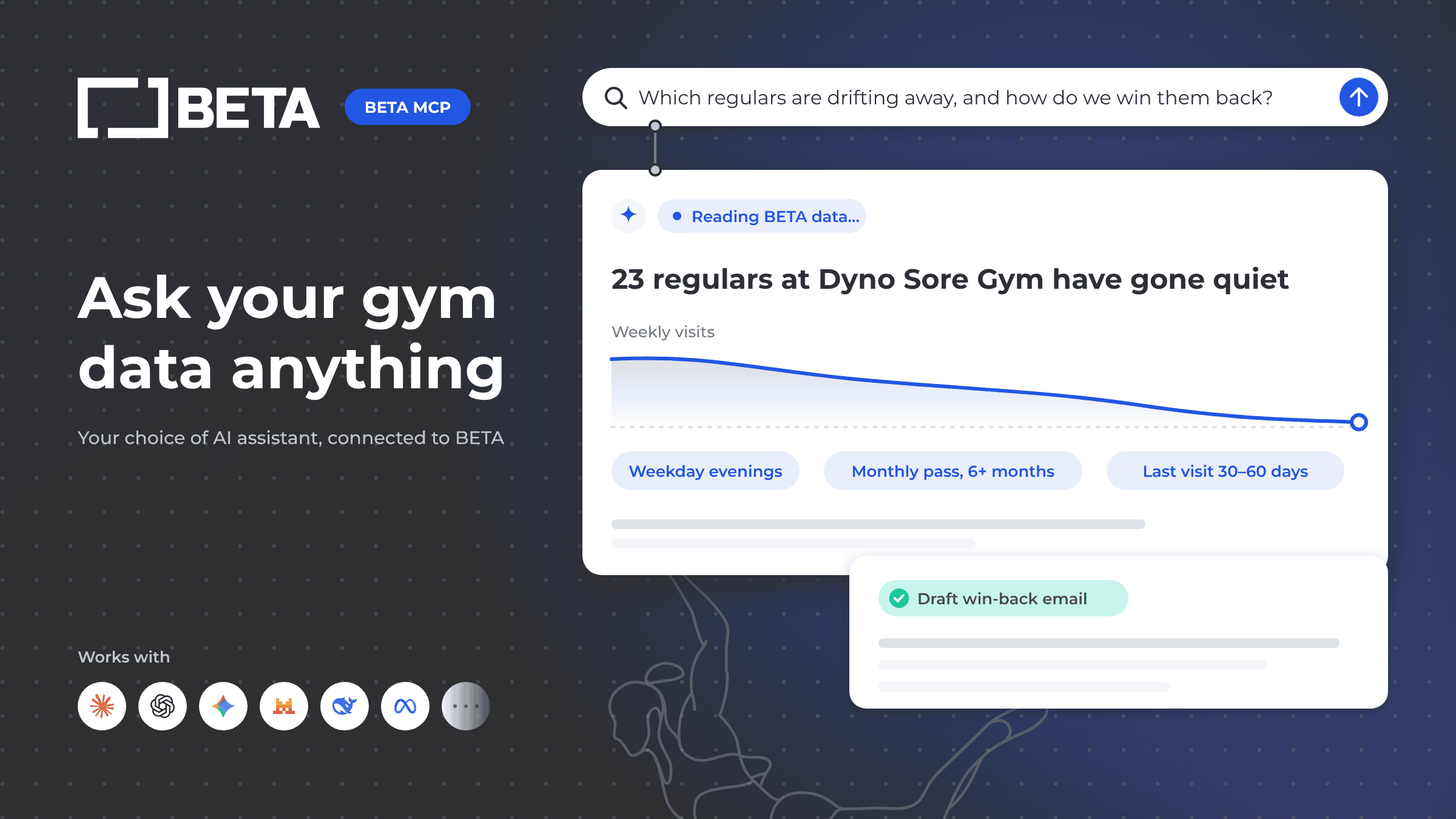
Running a climbing gym means wearing a lot of hats. Between route setting, staffing the front desk, running youth programmes and keeping the lights on, few owners have a spare afternoon to dig through reports.
Yet the answers to your most important questions are already in your data. Are memberships growing? Who hasn't visited in a while? Which months are quiet, and why? With BETA's new MCP connection, you can get those answers by simply asking.
Written by Miura Hawkins
CEO at BETA
What is BETA MCP?
MCP stands for Model Context Protocol. It's an open standard that lets AI models like Claude and ChatGPT connect securely to the software you already use.
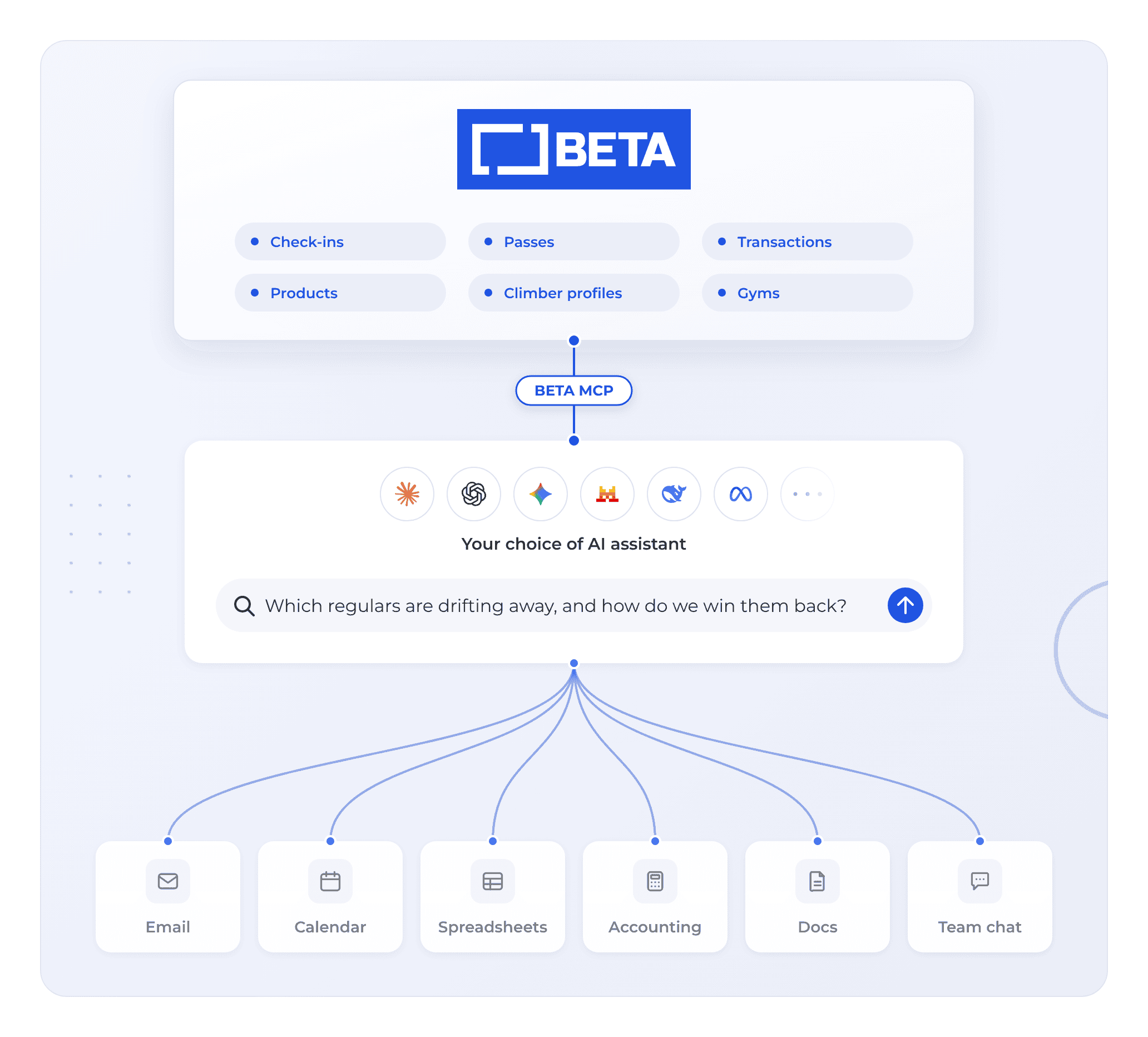
BETA MCP connects your AI assistant to your BETA gym data. Instead of clicking through dashboards or exporting spreadsheets, you type a question in plain English (or Spanish or Klingon) and get an answer drawn from your own check-ins, passes, transactions and products. No SQL, no database knowledge and no technical setup beyond a few clicks.
Insight, not just numbers. A report shows you what happened. An AI assistant can help explain it.
The data BETA MCP can see
BETA MCP reads six areas of your gym data; the ones that matter the most, and each one can be narrowed with filters so you get exactly the slice you need. More data endpoints are being added regularly, making the MCP more powerful.
What You Can Ask
If you can phrase it as a question, there's a good chance BETA MCP can help.
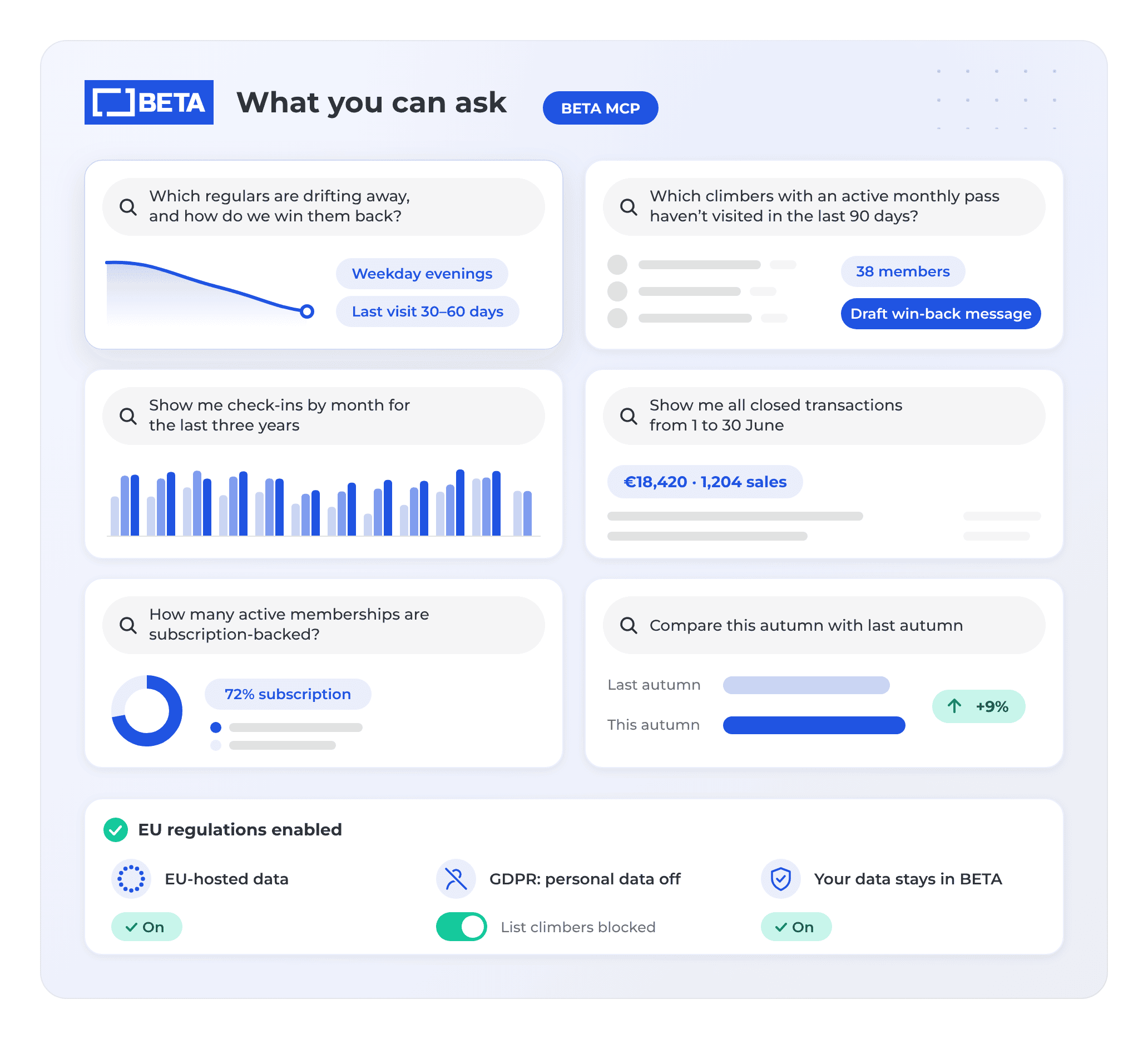
Here are a few things gym owners are already using it for:
- Spotting members at risk of leaving. "Which climbers with an active monthly pass haven't visited in the last 90 days?" gives you a ready-made list to reach out to before they cancel.
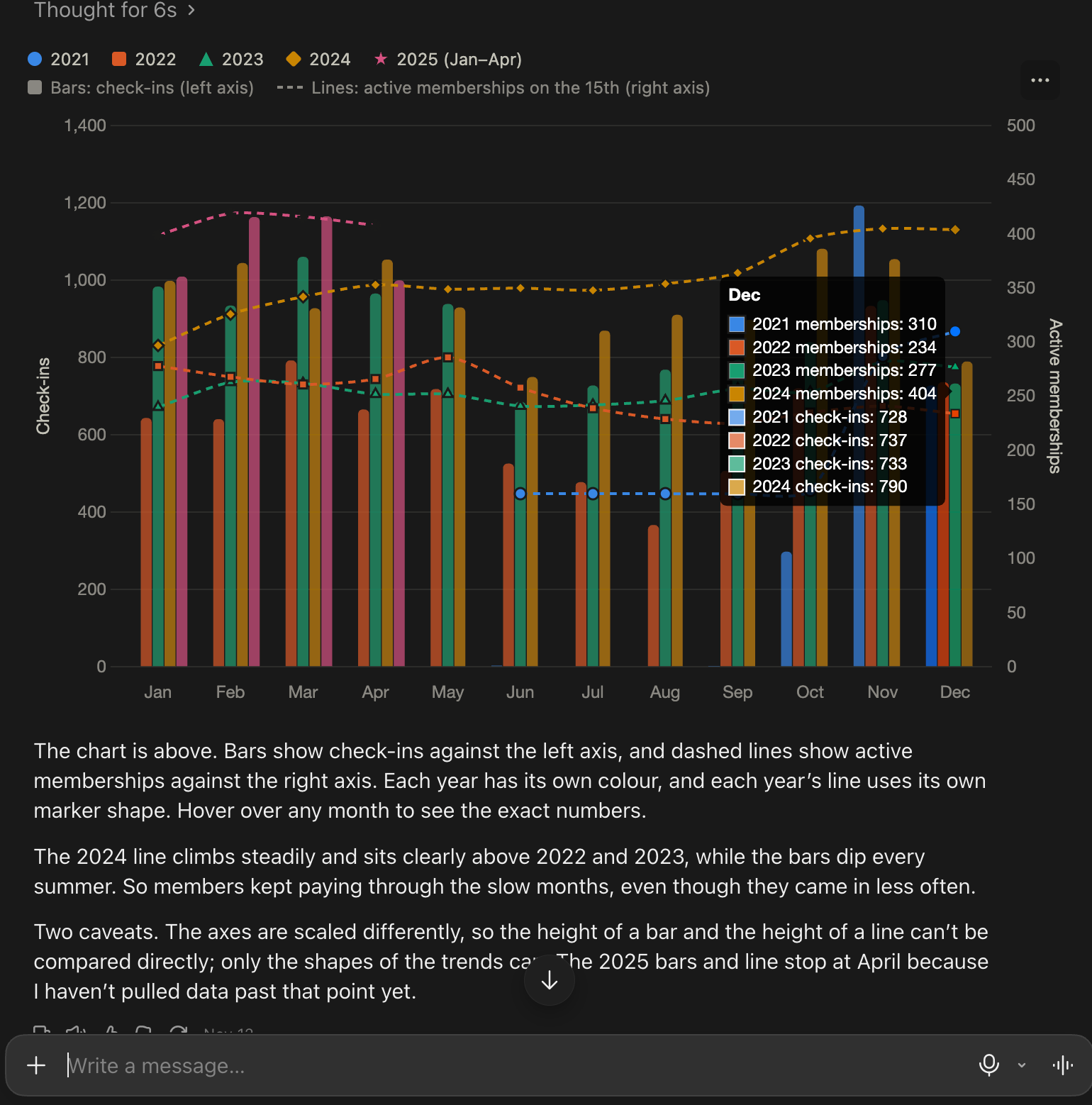
- Tracking attendance trends. "Show me check-ins by month for the last three years" reveals your busy seasons, your summer slump and whether visits are growing.
- Revenue reporting. "Show me all closed transactions from 1 to 30 June" pulls a month of sales without building a report.
- Understanding your memberships. Ask how many active memberships you had at different points in the year, or how many are subscription-backed.
- Comparing periods. Put this autumn next to last autumn, or one product against another, to see what's actually working.
Not sure where to start? Just ask your assistant "What questions can I ask you?" and it will walk you through the options.
Your AI assistant can then do what it does best with the results: summarise them, turn them into charts and suggest what to do next. A question about check-ins can become a seasonal plan for your summer programme in a single conversation.
Data area | What it covers | Ways to filter |
|---|---|---|
Check-ins | Every check-in session at your gym, including re-entries | Date range, a single climber, with or without the pass used, historical sessions |
Passes | Memberships and punch cards held by your climbers | Duration (day, monthly, quarterly, semi-annual, annual, no expiry), pass type, subscription or not, revoked, remaining validity, date range by validity, start or expiry |
Transactions | Sales and payments across every channel | Climber, staff member, product, price, promotion, event, payment ID; source (front desk, online, app, subscription); status (open, closed, cancelled, refunded); unpaid items; date ranges for creation, payment, issue, refund or revoke |
Products | Everything your gym sells | Your full product catalogue |
Climber profiles | Member search by name, email or phone | Name, email, phone or free text; can be blocked entirely to protect personal data |
Gyms | The locations your account manages | All gyms you have admin access to |
Combine them in one question, such as active monthly members against their check-ins, and patterns appear that no single report shows.
How it works, and how your data stays safe
When you ask a question, your AI assistant turns it into a request to BETA's approved endpoints. BETA returns the matching data, and the assistant uses it to answer you. The assistant never touches your database directly.
A few design choices keep you in control:
- Read-only by design. BETA MCP can look at your data but can't create, update or delete anything. No AI assistant can accidentally change a membership or refund a transaction.
- Controlled and auditable. Every request goes through BETA's application layer, limited to approved read-only operations.
- You decide what's shared. Most reporting questions about sessions, passes and transactions don't need personal details. You can block the List climbers tool in your AI assistant's settings, so it can't read climber names, emails or phone numbers. That keeps personal data to a minimum, a core principle of GDPR.
- Built in the EU. BETA is a European company with all data servers hosted in the EU. Connecting an AI assistant doesn't change where your data is stored or how BETA processes it.
And it's entirely optional. BETA's built-in reporting and analytics work exactly as before, with or without AI.
Why the MCP Matters for Climbing Gym Operators: Insight, not Just Numbers
Everyone is trying to figure out how to use AI for their business. MCP functionality is a use case that gives you answers in minutes, not afternoons. Questions that once meant exporting data and building spreadsheets now take a sentence. That's time back for you and your staff.
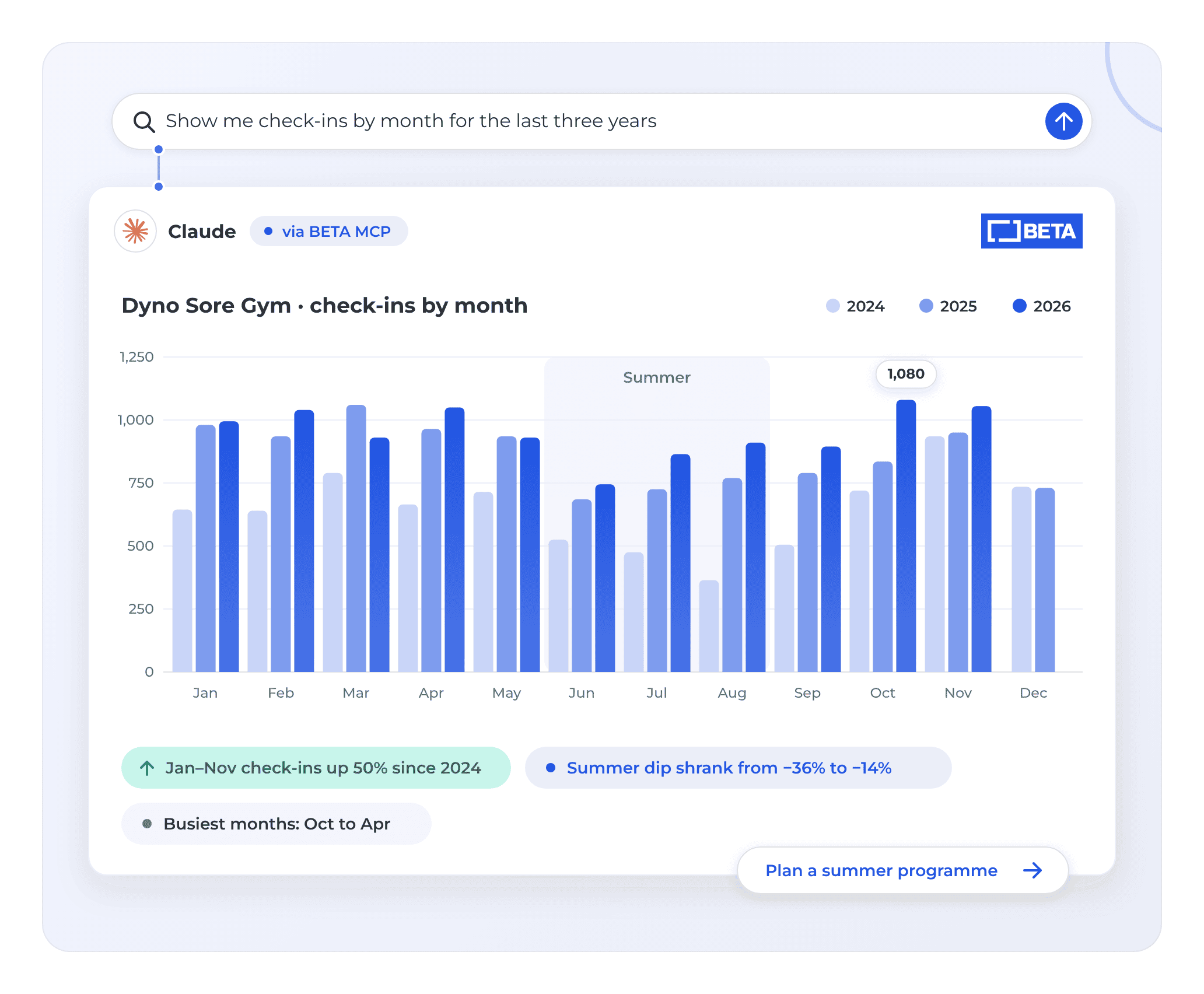
A report can give you data visibility, but not necessarily insight. An AI assistant like Claude, connected to your BETA database, can reason about why it happened and what to do next. It's like having an analyst who already knows your gym. Here's what that looks like in practice:
- Diagnose Ask "Why were check-ins down in August?" and the assistant can compare against previous years, check whether memberships fell or members simply visited less, and look at day-pass and punch-card sales, then give you a likely explanation.
- Go from data to action Find members with an active pass who haven't visited in 30 days, then ask Claude to draft a friendly, personal win-back message for each group. You simply review and send; the hours of list-building and writing are gone.
- Plan with your real numbers "Help me grow memberships 10% by spring" gets a plan built on your own patterns: when sign-ups naturally peak, which passes convert best and which months need extra attention.
- Test ideas before you spend Thinking about a summer membership pause or a new off-peak pass? Ask the assistant to look at past cancellations and attendance and estimate who it would help and what it might cost.
- Find hidden revenue Spot frequent punch-card buyers who would save money on a membership, then have Claude write the offer that makes the switch an easy yes.
- Reports and visuals on demand Turn a question into a chart, a monthly summary for your partners or a one-page update for your staff, in the format you want, in minutes.
The payoff for owners and operators is simple: better decisions, made faster, backed by your own data. The assistant accesses the data in real time and makes suggestions or provides insights. Your expertise lets you decide what happens.
See it in Action
The best way to understand BETA MCP is to watch it answer questions about a real gym.
Book a demo and we'll show you how BETA, from check-in to membership management to AI-powered insights, can help your gym grow.